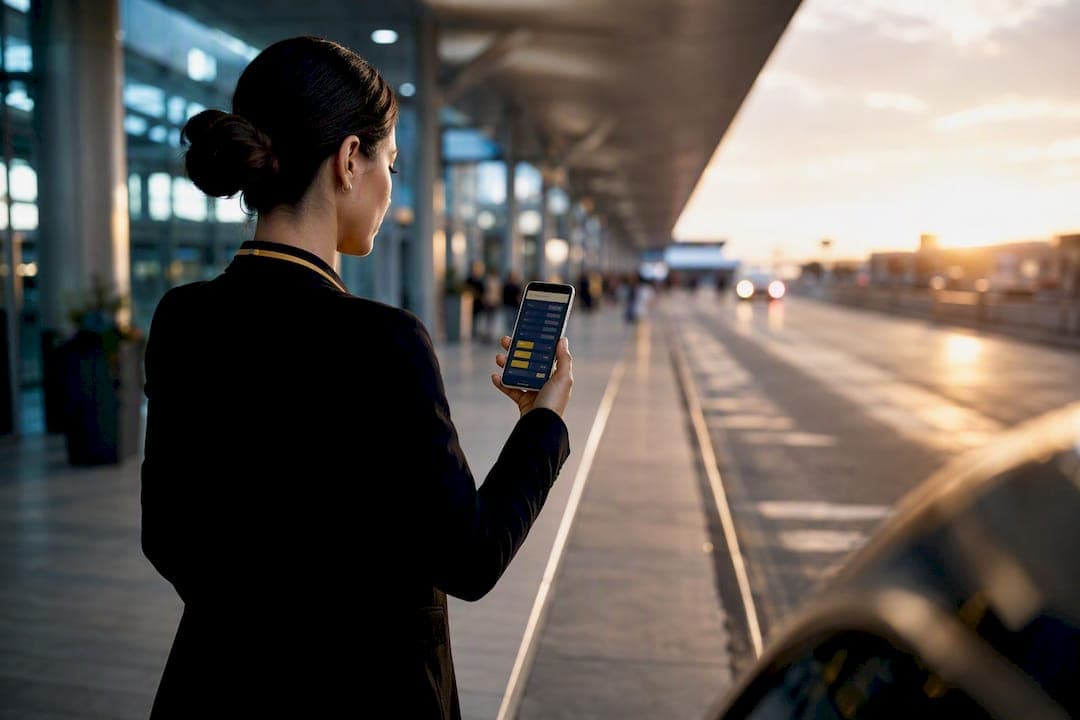
Yes, flight monitoring meaningfully improves pickup timing, but only when it's wired into an actual dispatch procedure. It moves the pickup with the aircraft instead of a printed schedule, which matters because the schedule is often wrong before the plane even leaves the gate. The catch: no feed sees customs lines, baggage carousels, or a closed curb lane, so every smart operation still builds a buffer around what the data can't show.
TL;DR:
- Flight monitoring improves pickup timing only when integrated into a dispatch procedure that accounts for data gaps like customs queues and baggage delays.
- Key signals for accurate pickup decisions include actual landing time, gate assignment, baggage arrival estimates, and predictive curb arrival projections.
- Customized timing policies, such as waiting 30 minutes for domestic and 45 to 60 minutes for international flights, significantly reduce unnecessary driver alerts and passenger confusion.
- Effective platforms combine multiple data sources, support historical forecasting, and automatically flag gate changes to avoid troubleshooting during critical pickups.
- Human intervention remains essential during airport chaos, diversions, and remote stand arrivals, where real-time judgment outweighs automated tracking.
Table of Contents
- What Flight Monitoring for Pickups Actually Means
- Turning Flight Data Into Pickup Decisions
- What Monitoring Can't See at the Airport
- Timing Policies Worth Copying
- Choosing a Flight Data and Dispatch Platform
- A Real-World Look at Pilot-Testing Pickup Protocols
- When Flight Monitoring Actually Earns Its Keep
- Book a Pickup That Already Runs on This Playbook
- Sources
- FAQ
What Flight Monitoring for Pickups Actually Means
Flight monitoring for pickups is the practice of tracking live status and predictive arrival signals, not the printed departure board, to decide when a driver should move to the curb. It's a narrower discipline than general flight tracking services, and it's built around one question: when will this specific passenger actually be walkout-ready?
The distinction that trips up new schedulers is the gap between three different numbers. Scheduled time is what the ticket says. Airline status is what the carrier reports (on time, delayed, boarding). Live aircraft position is what a plane is actually doing right now, in the air or on the taxiway, independent of what the airline's app claims.
Good pickup monitoring tracks a chain of signals, not a single timestamp:
- Wheels down, the moment the aircraft touches the runway
- Gate assignment, which can shift the walk time by ten minutes or more
- Baggage arrival estimate, when carousel data is available
- An "expected at curb" projection that blends the above into one usable number
That last signal is the one that actually drives dispatch decisions, and it's what separates a real pickup tool from a basic flight status update app.
Turning Flight Data Into Pickup Decisions
Raw data is useless until dispatch turns it into an action. Here's the workflow that separates a smooth pickup from a frantic one:
- Set staging rules first. Decide in advance which flights send a driver straight to the curb and which send them to a staging lot until a confirmed landing signal arrives.
- Define alert thresholds. Dispatch should see every status change; the driver on an active trip only needs the ones that actually shift the pickup window.
- Build the driver app around one page. A single pickup screen showing the current window, updated automatically, beats a driver toggling between three apps.
- Push notifications instead of requiring a check. A driver glancing at a phone every four minutes is a driver not watching the road.
- Give passengers their own link. A text with a live tracking link cuts the "where's my car" call before it happens, and lets the driver focus on the actual pickup instead of the phone.
The goal isn't more alerts. It's fewer, better-timed ones that match how meet-and-greet coordination actually happens on the ground.
What Monitoring Can't See at the Airport
Every flight-tracking feed stops at the tarmac. What happens between wheels down and walkout is a black box that no amount of aviation pickup alerts can open, and treating monitoring as a complete picture is the single most common planning mistake.
- Customs and immigration add anywhere from a few minutes to over an hour on international arrivals, and no flight feed reports queue length.
- Baggage delays are invisible to airline status data; a "landed" flight can still leave a passenger standing at a carousel for 40 minutes.
- Airport layout and remote stands mean two flights landing at the same minute can produce wildly different walkout times.
- Data latency and gate-change lags occasionally leave a dispatcher working from information that's already a few minutes stale.
- Diversions require a human to intervene immediately. No automated system rebooks a driver to a different airport on its own.
Watch for repeated status silence longer than ten minutes on an international arrival. That's usually the signal to switch from automated tracking to a manual phone check.
Timing Policies Worth Copying
Most of the guesswork in pickup timing disappears with a written policy instead of a driver's gut feeling. A reasonable starting template looks like this:
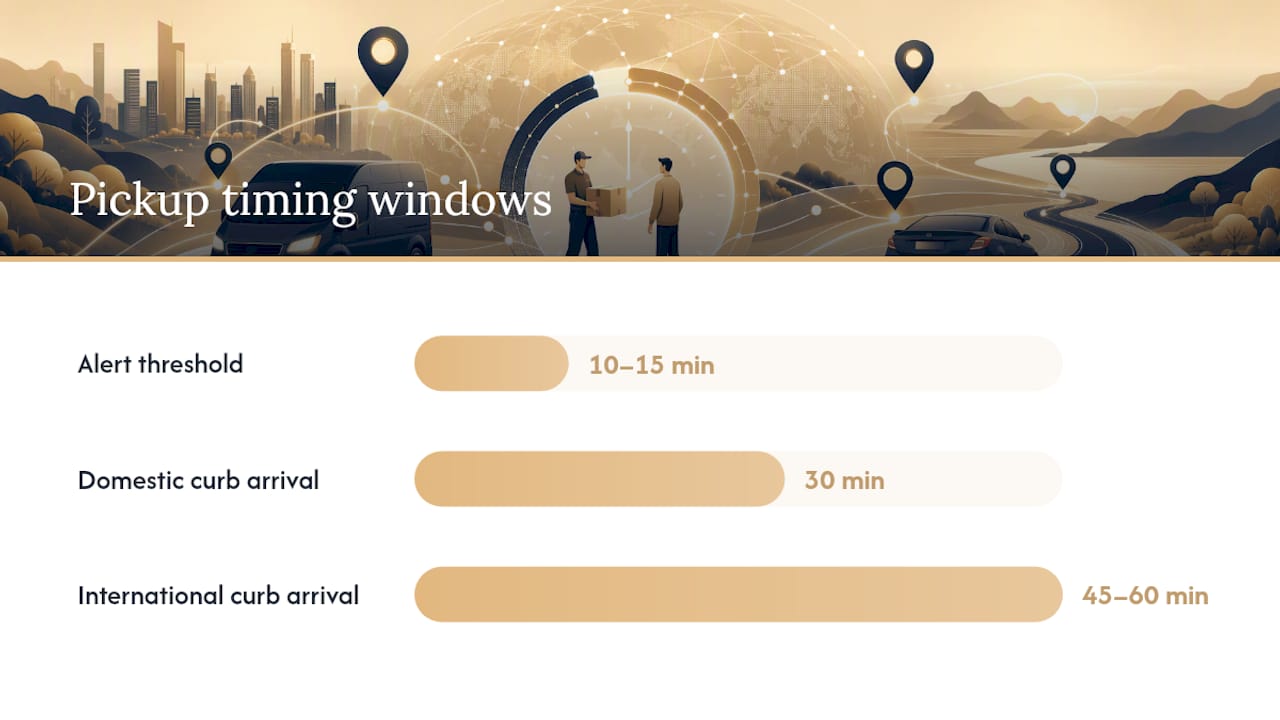
- Domestic flights: curb arrival 30 minutes after wheels down.
- International flights: 45 to 60 minutes after wheels down, adjusted upward for airports with slow customs halls.
- Meaningful-change alert rule: only ping the driver when a live ETA shifts by more than 10 to 15 minutes, not every minor fluctuation.
- Staging SOP: hold at the lot until landing confirmation, then move to curb on a fixed timer matched to the domestic or international window above.
Pro Tip: Send passengers one message, not three. "Your flight has landed, your driver is en route, expect a text when they're at the curb" answers every question before it gets asked.
Measure the results the same way every time: calls per trip and average curb wait, tracked over a two-week window before and after a policy change. That's a clean enough sample to know if the new buffer actually worked, and the chauffeur wait time policy framework is a useful reference point for setting fair grace periods.
Choosing a Flight Data and Dispatch Platform
Before committing to any pickup management system, run it against a short checklist instead of taking a sales pitch at face value.
- Does it combine ADS‑B position data with airline or aggregator status feeds, rather than relying on just one?
- Does it support historical-arrival forecasting for specific flight numbers, not just live status?
- Can it track by tail number, which catches diversions and altitude anomalies faster than schedule-based alerts alone?
- Does it flag gate changes automatically, and push that update to the driver app without dispatch re-entering anything?
- Is there an open API, in case the operation later needs to connect flight data to a routing or event-coordination system, the kind event-technology platforms use for live control-room style visibility?
- What's the stated latency between a status change and it's reaching the driver's screen, and does the vendor disclose which data sources feed the system?
A platform that's vague about its actual data sources is a platform you'll be troubleshooting during a VIP pickup, not before it.
A Real-World Look at Pilot-Testing Pickup Protocols
Riga Global Travel ran a Pilot First Shuttle Tracking test on production shuttle routes and saw inbound status calls cut roughly in half. The change wasn't a new app. It was pairing live tracking with a fixed communication protocol so drivers and coordinators stopped calling each other to ask the same question twice.
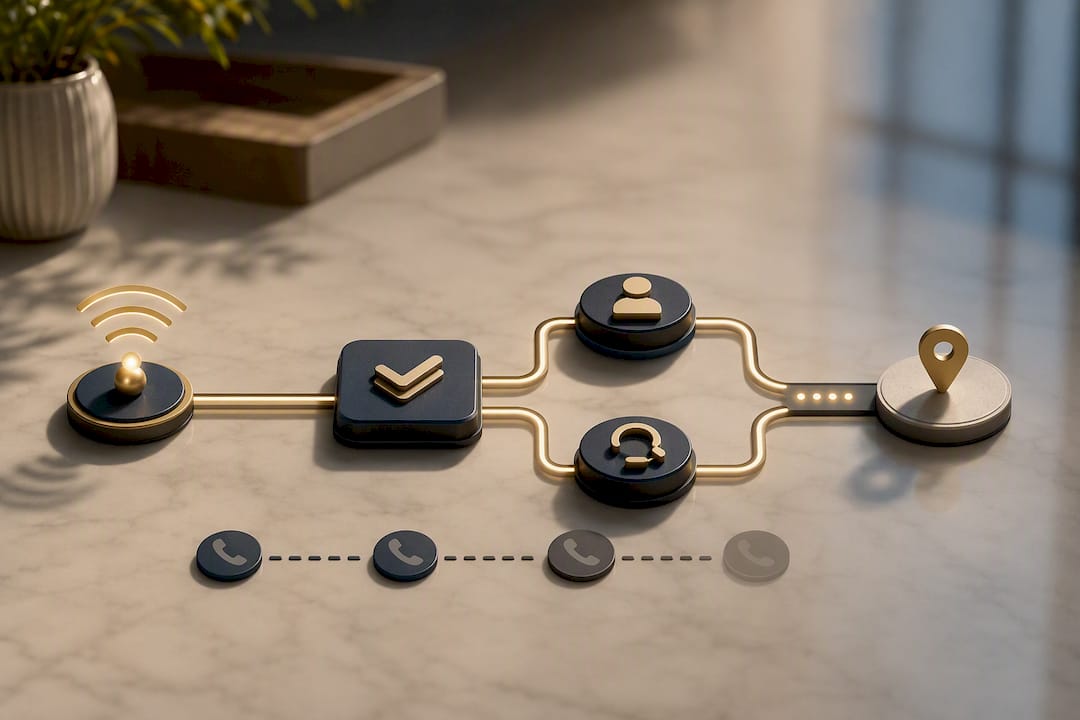
Two practices from that work carry over directly to airport pickups: a Manifest First Talent Transport Protocol, which locks in passenger and flight details before a driver ever gets dispatched, and a 90 minute buffer built into basecamp staging for production moves with tight call times.
Metrics worth tracking on any pilot of your own:
- Calls per trip
- Average curb wait time
- On-time pickup percentage over a two-week sample
When Flight Monitoring Actually Earns Its Keep
Monitoring pays off fastest on the pickups where a mistake actually costs something: talent, executives, and anything tied to a fixed call time. For routine trips, a good buffer and a phone number often do the job just fine.
What I'd push back on is the instinct to automate everything. Diversions, remote stands, and unusual airport chaos still need a person making the call, not a dashboard. Try one small experiment first: pair historical-arrival forecasting with a flat 30 minute buffer on domestic flights, then check your call volume against the two weeks before. The result will tell you more than any vendor pitch will.
— Sammy
Book a Pickup That Already Runs on This Playbook
Riga Global Travel is the alternative to guessing at pickup timing with a printed itinerary and a hopeful phone call. Every airport transfer, production shuttle run, and executive pickup is coordinated through the same tracking discipline built during the Pilot First Shuttle Tracking rollout, meaning a driver is staged to the actual aircraft, not a schedule that changed three times before wheels down.

That matters most on the trips where a late pickup is a real problem, not a minor inconvenience: talent moving between a set and a hotel on a locked call sheet, executives connecting straight into a board meeting, or a wedding party with a ceremony start time that isn't moving for anyone. Riga Global Travel handles airport transfers, limousine service, corporate accounts, celebrity transportation, and wedding-day transportation, all built around direct access to ownership instead of an app that can't answer a real question at midnight.
If your next pickup can't afford a curb-side surprise, request a quote through Riga Global Travel and put the protocol to work on your route.
Sources
Every pickup monitoring setup rests on a handful of underlying feeds, and knowing what each one does (and doesn't) tell you keeps expectations honest.
- FlightAware - Flight Tracker / Flight Status
- Flightradar24: Live Flight Tracker - Real-Time Flight Tracker Map | Flightradar24
- Arrival
Pro Tip: A flight that has landed early nine times out of the last ten tends to keep doing it. Historical-arrival forecasting catches that pattern before live tracking has anything to report.
Integration matters as much as the data itself. Some dispatch platforms build these feeds in natively; others connect through an API and require more manual configuration on the operator's end.
FAQ
Is It Illegal to Track Private Jets?
No. Aircraft broadcasting ADS‑B position data are visible on public tracking platforms like Flightradar24, and tracking that public signal isn't illegal. Some owners request their tail number be blocked from public display, which is a separate program from the tracking itself being unlawful.
Is There a Free Flight Tracker Available?
Yes, both FlightAware and Flightradar24 offer free tiers with live status and position tracking. Paid tiers typically add API access, historical data, or higher refresh rates, which matter more for dispatch operations than casual checking.
Can I Track Air Force One?
No. Air Force One and other government and military aircraft are excluded from public ADS‑B tracking platforms for security reasons, so it won't appear on consumer flight trackers.
Is There a Flight Tracker Specifically for Private Jets?
General platforms like FlightAware and Flightradar24 track private aircraft alongside commercial flights, provided the tail number isn't blocked. Some operators pair that raw tracking with pickup-specific tools, like Arrival, to translate a private jet's landing into a realistic curb-ready estimate.
How Does Riga Global Travel Use Flight Monitoring for Pickups?
The company built its dispatch protocols around live tracking after testing a pilot shuttle tracking system that reduced inbound status calls. Pricing for airport transfers and other services is available directly through the site rather than posted publicly.