
A content production shuttle is a secure, accelerated file transfer platform used to move large media files between production facilities, storage systems, and collaborators without routing data through third-party servers. The most widely recognized example is Signiant Media Shuttle, which is used by over 50,000 media and entertainment organizations worldwide. For production managers and logistics coordinators, understanding what a content production shuttle does, and what it does not do, is the difference between a workflow that runs on schedule and one that stalls at every handoff. This article breaks down the technology, the workflow integration, and the practical decisions you need to make.
What is a content production shuttle in media workflows?
A content production shuttle is defined as a transport layer, not a storage or editing environment. Signiant Media Shuttle, the industry standard for this category, transfers files up to 100x faster than standard TCP/IP methods. That speed advantage is not a marketing claim. It reflects patented acceleration technology that optimizes bandwidth use and reduces latency across long distances, which matters enormously when you are moving camera originals from a location shoot to a post-production facility in another city.
The platform is storage independent. Media Shuttle connects directly to on-premises storage, private cloud, and public cloud environments without holding data on its own servers. That architecture is what separates it from older file transfer systems that acted as intermediaries, creating security gaps and transfer delays. The shuttle simply moves the file from point A to point B, fast and securely.

Production managers often mistake Media Shuttle for a content management system. It is not. Media Shuttle does not provide content-level search, review workflows, or persistent storage. You still need dedicated platforms for those functions. The shuttle is the highway, not the warehouse.
How does a content production shuttle work?
Signiant Media Shuttle operates through three distinct portal modes, each designed for a specific transfer scenario in the content production process.
- Send portal: Person-to-person file transfer. One user sends a file directly to a named recipient. This works well for delivering a cut to a director or sending a rough mix to a sound facility.
- Share portal: Multi-user access where participants can browse, upload, and download from a shared folder. This mode suits collaborative projects where multiple editors, colorists, or VFX vendors need access to the same asset pool.
- Submit portal: External users upload files to a designated destination without needing to see existing content. Broadcasters use this to collect deliverables from production companies without exposing their internal storage.
These three portal modes support complex, high-volume transfer workflows across multiple facilities and partners. Each mode carries the same security architecture: encryption during transfer, user authentication, and granular access controls. Enterprise-grade security features protect content at every stage of the transfer, which is non-negotiable when you are moving unreleased footage or final broadcast masters.
IT teams configure the portal infrastructure and user access controls. Production managers define who gets access to which portal and when. That division of responsibility keeps the system reliable at scale.
Pro Tip: Set up your Submit portal with a predefined folder structure before any external collaborator touches it. Requiring vendors to drop files into labeled subfolders at the point of upload eliminates hours of manual re-sorting on your end.
What are the benefits of content shuttles vs. traditional methods?
The gap between a content production shuttle and traditional file transfer methods is significant. FTP, email attachments, and physical courier delivery each introduce delays, security risks, and manual overhead that compound across a production schedule.
| Method | Transfer speed | Security | Reliability | Scalability |
|---|---|---|---|---|
| Content production shuttle | Up to 100x faster than TCP | Encrypted, authenticated, access-controlled | Automated retries, resumable transfers | Enterprise-grade, high-volume |
| Standard FTP | Baseline TCP speed | Minimal encryption, no access controls | No retry logic, transfer failures common | Limited for large files |
| Email/file sharing links | Slow, file size capped | Varies widely, often uncontrolled | No resume capability | Not suited for media files |
| Physical courier | Hours to days | Physical security only | Weather and logistics dependent | Not scalable for recurring needs |
Speed is the most visible benefit, but reliability is what production managers care about most. Automated retries and resumable transfers mean a dropped connection does not restart a 500GB file transfer from zero. That single feature eliminates one of the most common sources of production delay in post workflows.
Security is equally critical. When you are moving unreleased content between a production company, a post house, and a broadcaster, uncontrolled access is a liability. A content shuttle enforces authentication and permissions at every transfer point, which FTP and shared cloud links simply do not.
Pro Tip: Run a test transfer of your largest expected file size before production begins. Confirm your storage endpoint, portal permissions, and naming conventions are all correct before the first real delivery is due.
The cost argument also holds up. Reducing manual transfer overhead, eliminating courier fees, and cutting the time your team spends troubleshooting failed transfers adds up to real operational savings across a multi-week production.
How does the content shuttle fit into the content production process?
A content production shuttle occupies a specific position in the production lifecycle. Understanding where it fits prevents you from expecting it to do things it was never designed to do.
- Content creation: Camera originals, audio recordings, and graphics assets are generated on set or in the studio. The shuttle is not involved at this stage.
- Ingest and transfer: Raw files move from set storage or camera cards to the post-production facility. This is the first major use case for a content shuttle. Speed here determines how quickly editorial can begin.
- Editing and review: Editors, colorists, and VFX artists work within dedicated editorial platforms. The shuttle is not active during this stage, but it may be used to move cuts between facilities for review.
- Approval and revision: Cuts are delivered to directors, producers, or clients for notes. A Send or Share portal handles this handoff cleanly.
- Final delivery: Finished masters move to broadcasters, streaming platforms, or archive storage. The Submit portal is the standard tool for this stage.
Clear handoff ownership at each stage prevents files from sitting stagnant between departments. Successful production teams assign a named person responsible for triggering each transfer. Without that structure, files wait in limbo while two departments each assume the other has already sent them.
The shuttle works alongside, not instead of, platforms like Avid NEXIS, Adobe Premiere Pro shared projects, or frame.io for review. Each tool handles its designated function. The shuttle connects them by moving assets between them reliably and at speed.
Pro Tip: Build your shuttle transfer triggers directly into your production schedule. If editorial is expected to receive camera originals by 8 AM, the transfer should be initiated by 6 AM to account for file size and any retry cycles.
How do software shuttles compare to outsourced production shuttle services?
The term "production shuttle" applies to two distinct concepts in the entertainment industry, and confusing them leads to the wrong purchasing decision.
A software content shuttle, like Signiant Media Shuttle, is a technical platform. It moves files. It does not create content, manage projects, or provide personnel.
An outsourced production shuttle is a service model. Companies like Shuttle in social media video production provide specialized videography and content creation teams as a cost-efficient alternative to full-time hires. This model adds specialized team members for roughly one-third the cost of equivalent full-time employees. The value proposition is entirely different from a file transfer platform.
- Software shuttle (e.g., Signiant Media Shuttle): Best for production teams that already have content and need to move it fast, securely, and at scale between facilities, vendors, and broadcasters.
- Outsourced production shuttle (e.g., Shuttle): Best for brands or production companies that need recurring video content creation without building an in-house team.
- When to use both: A brand running a live event might use an outsourced shuttle team to produce social content on-site and a software shuttle to deliver broadcast-quality footage to a post-production facility simultaneously.
The distinction matters for budget allocation. A software shuttle is a technology subscription. An outsourced shuttle is a staffing and production services contract. Both solve real problems, but they solve different ones.
Key Takeaways
A content production shuttle is a file transfer platform, not a storage or editing system, and its value depends entirely on how well it is integrated into your production workflow.
| Point | Details |
|---|---|
| Core definition | A content shuttle moves large media files fast and securely between storage systems and collaborators. |
| Speed advantage | Signiant Media Shuttle transfers files up to 100x faster than standard TCP/IP methods. |
| Not a storage tool | Media Shuttle does not store, search, or review content. Pair it with dedicated storage and editorial platforms. |
| Three portal modes | Send, Share, and Submit portals each serve a distinct handoff scenario in the production workflow. |
| Handoff ownership | Assign a named person to trigger each transfer. Undefined ownership is the leading cause of file delivery delays. |
What I have learned about shuttles after years on production
The biggest mistake I see production managers make is treating a content shuttle as a set-and-forget tool. They configure it once, hand it off to IT, and assume the workflow runs itself. It does not.
The real work is in the naming conventions and folder structures you define before the first file moves. Predefined directory structures and naming standards are what separate a clean intake workflow from a chaotic one, especially when external vendors are involved. I have watched post-production teams spend entire mornings re-sorting files that arrived with inconsistent naming because no one enforced a standard at the upload stage.
The second thing most teams get wrong is handoff ownership. Defining explicit ownership for every handoff sounds like administrative overhead until you are on a deadline and two departments are pointing at each other. Assign the trigger responsibility in writing, in the production schedule, before the shoot begins.
The future of accelerated transfer technology in media and entertainment is moving toward tighter integration with cloud-native editorial and review platforms. The shuttle will not disappear. It will become embedded in larger workflow ecosystems where the transfer is invisible and automatic. The production managers who will benefit most are the ones who understand the tool well enough now to configure those integrations correctly when the time comes.
— Sammy
Ground transportation that keeps pace with your production
Production logistics do not stop at digital file delivery. The same discipline that governs your content production workflow applies to moving talent, crew, and equipment between locations.

Rigaglobaltravel provides limousine and concierge transportation built specifically for entertainment productions. From talent transportation in New York to crew movement across major production markets, Rigaglobaltravel coordinates ground logistics with the same reliability your digital workflows demand. Productions running in Los Angeles, New York, Miami, and Connecticut rely on Rigaglobaltravel for studio and set transportation that stays on schedule. When your content is moving at 100x speed through a shuttle, your ground operation should move just as efficiently.
FAQ
What is a content production shuttle used for?
A content production shuttle is used to transfer large media files securely and at high speed between production facilities, storage systems, and collaborators. Signiant Media Shuttle is the leading platform in this category, serving over 50,000 media and entertainment organizations.
Is Media Shuttle a storage platform?
Media Shuttle is not a storage platform. It is a transfer tool that connects to existing on-premises or cloud storage without holding data on its own servers.
How fast does a content shuttle transfer files?
Signiant Media Shuttle transfers files up to 100 times faster than standard TCP/IP methods using patented acceleration technology that optimizes bandwidth and reduces latency over long distances.
What is the difference between a software shuttle and an outsourced production shuttle?
A software shuttle like Signiant Media Shuttle moves files between facilities and storage systems. An outsourced production shuttle, like the service model offered by Shuttle, provides specialized video production teams as an alternative to full-time hires.
How do I set up a content production shuttle workflow?
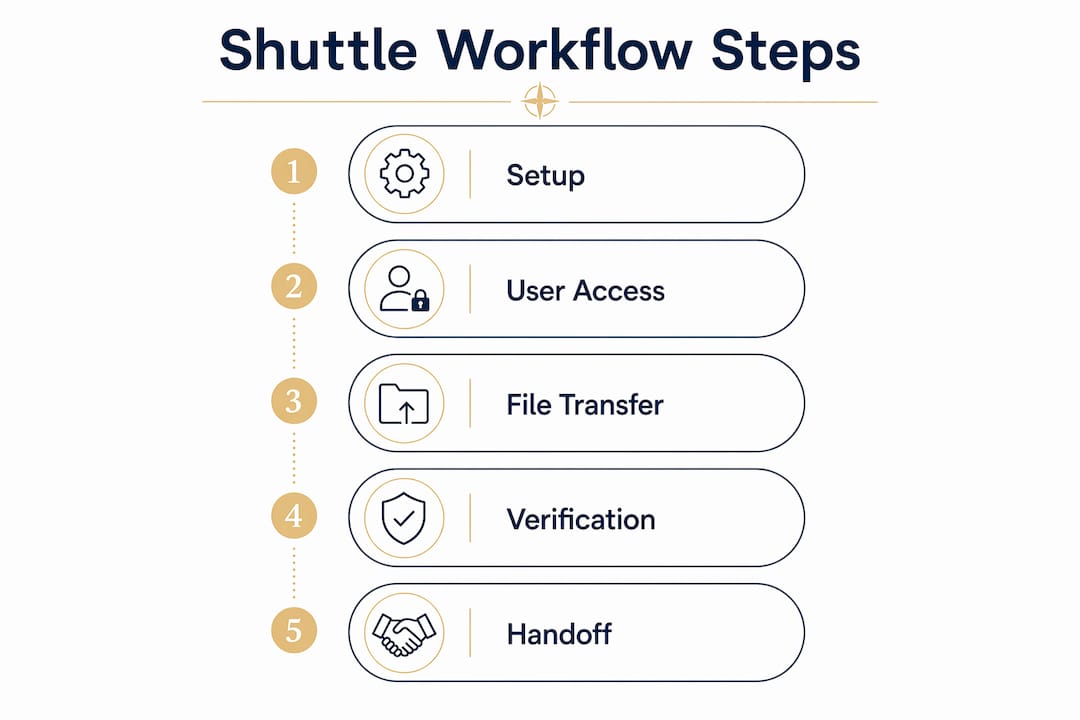
Configure your portal mode (Send, Share, or Submit) based on the handoff type, define folder structures and naming conventions before the first transfer, and assign a named person to trigger each file handoff in your production schedule.